

NOW LIVE | REAL AI FOR REAL FIRMS
Meet Canopy Coworker
The AI coworker that does real work inside your firm: follow-ups, client setup, status checks, and answers from your own data. Included in every Canopy plan.
So…what can Canopy Coworker actually do?
The short answer: A LOT. The longer answer: let’s start with a few highlights.

Canopy Coworker doesn’t just answer questions—it actually handles the “work around the work”. You simply tell it what you need in plain English, and it coordinates tasks and workflows across Canopy.
Simply ask Coworker to do something, like drafting an engagement, and it handles the task from start to finish. You don’t need to build complex flowcharts or nodes; you describe the outcome you want, and Coworker builds the plan. Quick actions under every answer suggest the next step.
You stay in the driver’s seat with a transparent “Plan, Act, Review” loop that shows you exactly what the AI is doing and why. Coworker handles the dreaded coordination work, giving you the capacity to finally tackle the high-value projects you’ve never had the time to jump into. Every step is labeled by what Coworker actually did, and anything important waits for your approval.
Stop managing the work. Start actually doing it.
Canopy Coworker takes over the back-and-forth so you can focus on the work that truly needs your attention.
Say Goodbye to the Grind
Coworker takes over the tedious coordination—like manual follow-ups, status checks, and reminders—so you can stop wasting hours on busywork. Your time is (or should be) yours. Reclaim it with Coworker!

Unblock. Automate. Move On.
Coworker identifies bottlenecks and automatically nudges clients for missing 1099s or signatures, keeping your workflows moving without you having to play private investigator (as much as we all love Magnum).

Smart AI. Airtight Security.
Coworker runs entirely inside Canopy's SOC 2 Type II compliant environment & never uses your data to train public models. It already knows your firm, your clients, and your permissions. Nothing leaves the proverbial building (Canopy) without your say-so.

Try our builder & have fun!
SESSIONS
The Fastest Way to Get Anything Done
Skip the manual work. Just ask Coworker to handle the execution.
-

Get instant, data-backed answers about team capacity or unbilled time without ever exporting to Excel
-
Track every “Needs Attention” item and monitor live, multi-step tasks in progress directly within the conversation thread
-
Describe a complex outcome—like archiving a year’s worth of engagements—and watch it build an executable plan in seconds
-
One-click quick actions suggest your next step under every answer


RECOMMENDATIONS
Works in the Background. Thinks About What's Ahead.
An AI that doesn’t just flatter you, insert excessive em-dashes, or process data; Canopy Coworker recommends your firm’s next move.
-
Identifies missing information from prior-year work and suggests personalized request lists
-
Answers capacity and workload questions from live data, so you can rebalance before deadlines slip
-
Recommends the most efficient project templates and provides automated nudges for stalled tasks and overdue requests to keep every engagement moving forward on track
ACTIONS
Action Without Interruption
Canopy Coworker does more than just suggest the next step—it executes the work for you directly within your firm’s platform.
-
Drafts professional, context-aware email responses and client communications natively within your inbox
-
Automates workflow actions, such as creating tasks or updating project statuses the moment a client uploads a file or signs an engagement letter
-
Instantly summarizes complex client histories and multi-thread conversations into actionable internal notes
-
Approvals appear right in the Coworker sidebar, so staff review AI-drafted items before they go out
-
Invites client contacts to the portal and adds tailored questionnaires and checklists to new client tasks, with a person approving each invite.

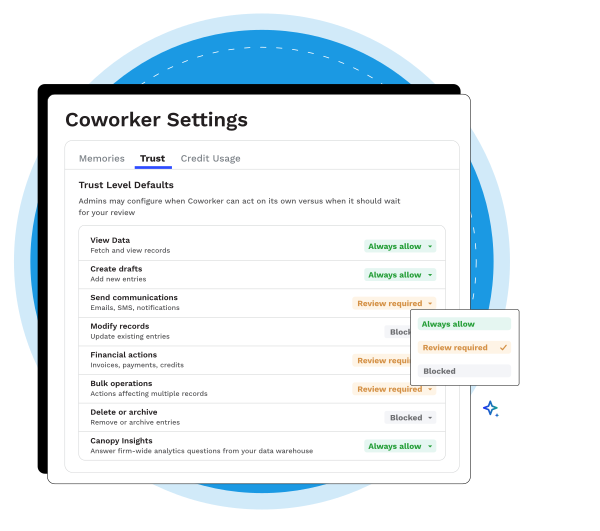
TRUST & SECURITY
You Stay in Control
Coworker earns more independence only as your firm allows. You decide what it can do on its own and what waits for a person.
-
Follows each user’s existing roles and permissions
-
Approvals show up in the Coworker sidebar, with security requests explained in plain English
-
Before a large batch update, Coworker tests a small batch and asks someone to check it
-
Every step is labeled by what it did, and every action is logged
FIRM-WIDE AUTOMATIONS
The Work Keeps Working. Even When You're Not
Coworker turns your manual busywork into self-driving workflows so nothing falls through the cracks.
-
Automatically triggers handoffs and task reassignments the moment a project status changes
-
Flags transaction-level anomalies in your bookkeeping data and creates tasks for your team before small issues become big problems
-
Analyzes historical performance to recommend smarter automation rules for recurring projects
-
Set up an automated job once in plain English, and it keeps running: reminders, handoffs, and escalations

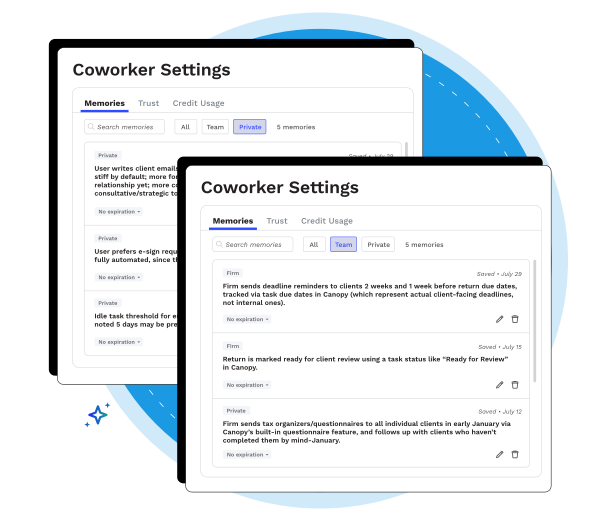
FULL FIRM-WIDE CONTEXT
Coworker Doesn't Start from Scratch
Your firm’s history is Coworker’s superpower. Everything your firm does in Canopy becomes context Coworker uses to make work happen. That includes clients, engagements, tasks, communications, documents, billing, and the history behind all of it.
-
Ready the first time you open it. Coworker starts from what Canopy already knows about your role, your team, and your firm’s services, so there’s no blank page and no setup project.
-
New clients, set up in one request. Coworker uses your existing templates, tags, and client records to invite and set up new contacts (you approve each one). Coworker can add intake questionnaires and checklists personalized for each client.
-
No more blind spots. Ask about capacity, work in progress, or profitability and get an answer from your firm’s live data, past and present.

“Software has helped firms organize their work. The next era is software that helps firms actually do the work. With Canopy Coworker, we’re bringing intelligence, memory, and proactive automation into the core of how accounting firms operate — so work doesn’t just get tracked, it moves forward.”

“I want AI to do as much for me as humanly — or unhumanly — possible.”
Coworker Works Where You Work
Embedded across every corner of Canopy, Coworker makes every part of your practice smarter.

Coworker + Documents
Coworker brings order to your files automatically, with no manual sorting, no lost documents, no wasted time.
- Instantly matches client uploads to checklist items so you always know what's in and what's still missing
- Pre-fills client forms and tax organizers by pulling data from scanned docs and your CRM with Tax Workflow Automation
- Analyzes prior-year returns to recommend the exact document request list you need at the start of every project

Coworker + Work
Canopy Coworker transforms your static task lists into a self-correcting workflow engine that manages the details for you.
- Instantly identifies the best-fit workflow templates for new engagements based on client data
- Drafts and prepares personalized client requests and emails automatically, moving projects to the next stage without requiring manual data entry
- Acts as a digital project manager that can update parent task statuses and record key milestone dates automatically based on real-time activity within the platform
- Adds questionnaires and document checklists to task templates for each client

Coworker + Clients
Canopy Coworker transforms how your clients interact with your firm by providing a faster, more personalized, and frictionless service experience.
- Canopy Coworker leverages the full context of your client relationships to draft personalized communications that feel high-touch and tailored
- Clients can interact with AI-enhanced features without ever worrying that their private data is being shared with external third-party platforms
- By automating the tedious parts of the relationship—like follow-ups and data collection—Coworker frees your team to focus on high-value advisory conversations
- Invites contacts to the client portal, with a person approving each invite

Coworker + Operations
Canopy Coworker surfaces the real-time insights you need to optimize every level of your operations.
- Provides a live window into firm-wide capacity, automatically recommending task reallocations to prevent burnout and maintain deadlines
- Asks who has capacity, where work is piling up, and which engagements are over budget, and gets answers from live data
- Acts as a bridge between your strategy and execution by suggesting the best-fit project templates for new service lines

Coworker + Reporting
Canopy Coworker turns your practice data into a strategic roadmap by surfacing the answers you need before you even ask the questions.
- Canopy Coworker uses natural language search to instantly answer complex questions about your firm’s data
- Proactively monitors your firm’s KPIs and sends intelligent alerts when metrics like unbilled time or aged receivables hit a certain threshold, enabling you to take action before revenue is impacted
- By analyzing your historical billing and time entries, Coworker generates automated performance summaries that help firm leadership focus on high-level strategy instead of data entry
- With Coworker you can build custom reports, set proactive monitors, and send intelligent alerts
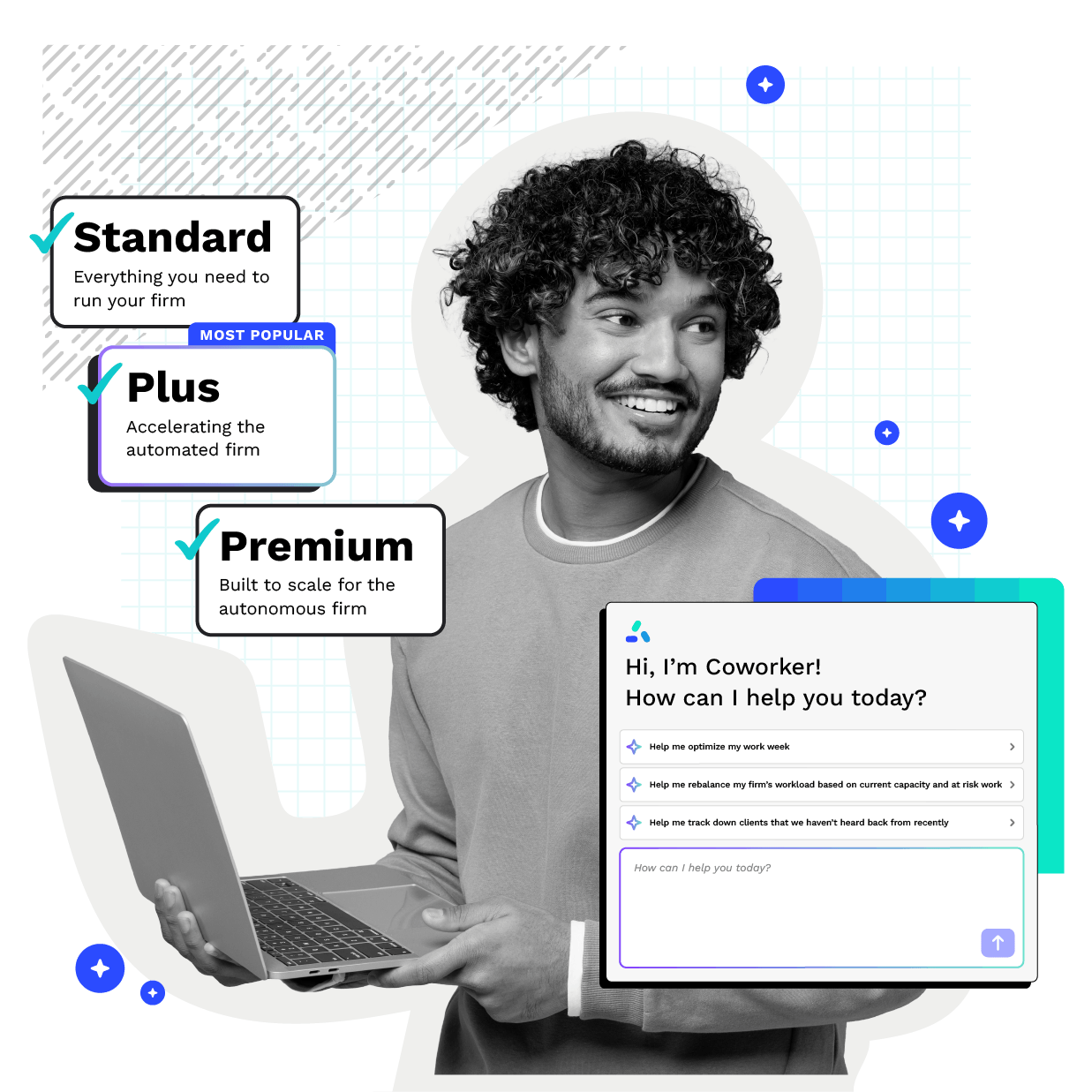
CANOPY COWORKER
AI Included in Every Plan
You get a Coworker! And you get a Coworker! And you get a Coworker! Everyone gets a Coworker, because our everywhere AI is included in every Canopy plan (Standard, Plus & Premium).
-
Every user gets monthly AI credits, so your AI capacity grows with your team
-
Admins can see credit usage across the firm and users will receive a heads-up before they reach their monthly limit
-
Add more credits as your firm’s AI work grows
Dive deeper into Canopy Coworker
Ready to get started?
Frequently Asked Questions
Can’t find the answer you are looking for? Reach out to our support team.
Canopy Coworker is the AI execution layer embedded inside Canopy practice management software. It functions as a supervised digital coworker that coordinates and executes work across tasks and workflows inside your firm. This layer moves accounting practices toward the Autonomous Firm model.